



SymphoX software
Your system,
Your system,
your choice.
One software for every DALI-2 project. Quickstart commissions a basic installation automatically. Expert mode gives you floor plans, custom areas, scenes and schedules with the full flexibility of DALI-2.
Quickstart
Commissioning in a nutshell
Fully automated commissioning in minimal time- One line equals one groupAll luminaires are assigned automatically
- Sensors come with a predefined hold time5 minutes, adjustable later
- Push buttons directly control their assigned group
- Fully customizable afterwards
- Test the whole project in just a few clicks
- Basic functions work right after installation
Ideal for projects with basic requirements.
Expert mode
From floor plan to schedule in seven steps
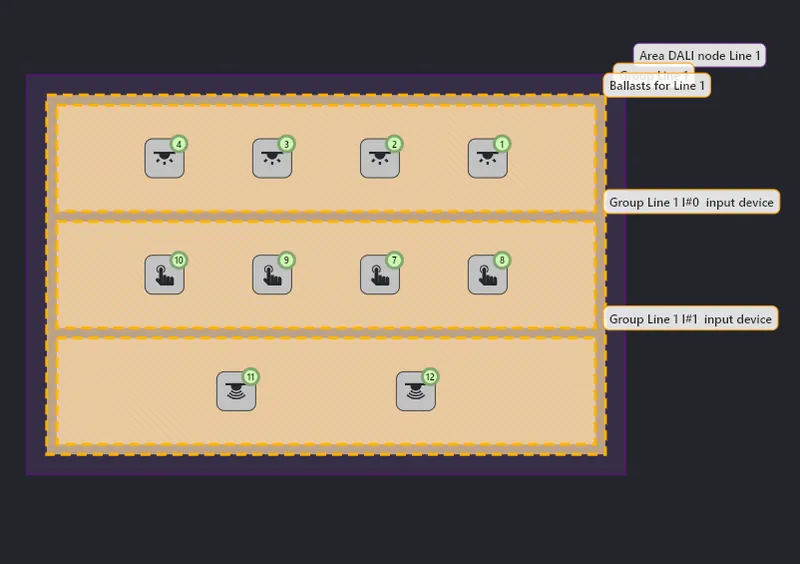
Integrate floor plans for visual project design, keep a clear overview of floor and system topology, and add as many floors as the building has.
Expert mode
Everything DALI-2 can do
- Integration of floor plans for visual project design
- Clear overview of floor and system topology
- Support for unlimited floors
- Flexible creation of custom areas and groups
- Fast and efficient group configuration
- Intuitive device assignment via drag and drop
- Advanced automation and control options
- Unlimited groups and scenes
- Master scenes across rooms
- MQTT interface for use across systems

Compare
Which mode fits your project?
| Capability | Quickstart | Expert mode |
|---|---|---|
| Commissioning | Fully automated, predefined | Guided, fully configurable |
| Grouping | One DALI line equals one group | Custom areas and groups, drag and drop |
| Sensors | Predefined 5 minute hold time | Individual properties per device |
| Floor plans | Not required | Imported plans, unlimited floors |
| Scenes | Basic functions | Unlimited scenes, master scenes across rooms |
| Integration | – | MQTT interface |
| Scheduler | – | Events, recurrence, astro times (preview) |
| Best for | Projects with basic requirements | Complex and multi-floor projects |
You can start with Quickstart and switch to Expert mode later. The project stays fully customizable.